


Spook
A lightweight macOS network traffic monitor with per-app breakdown, connection details, and traffic history.
Background & Overview
The name is a play on Sam Greenlee’s 1969 novel The Spook Who Sat By the Door - because this app sits quietly by your network ports, watching the data flow.
Your Mac talks to the internet constantly. Dozens of apps, hundreds of connections, data moving in and out every second. Spook is a lightweight macOS menu bar app that shows you all of it in real time: live upload and download speeds at a glance, per-app traffic breakdown when you want detail, connection tables with resolved hostnames when you need to know exactly who your machine is talking to, and usage graphs over hours or days when you want to understand patterns.
The Problem
There's no middle ground in network monitoring. You either get Wireshark, powerful but impenetrable for daily use, or a simple bandwidth meter that tells you nothing about where your traffic is going. Most tools that try to bridge that gap are enterprise software awkwardly repackaged for consumers, requiring kernel extensions, elevated privileges, or subscriptions for basic visibility into your own machine.
Watching the watchers.
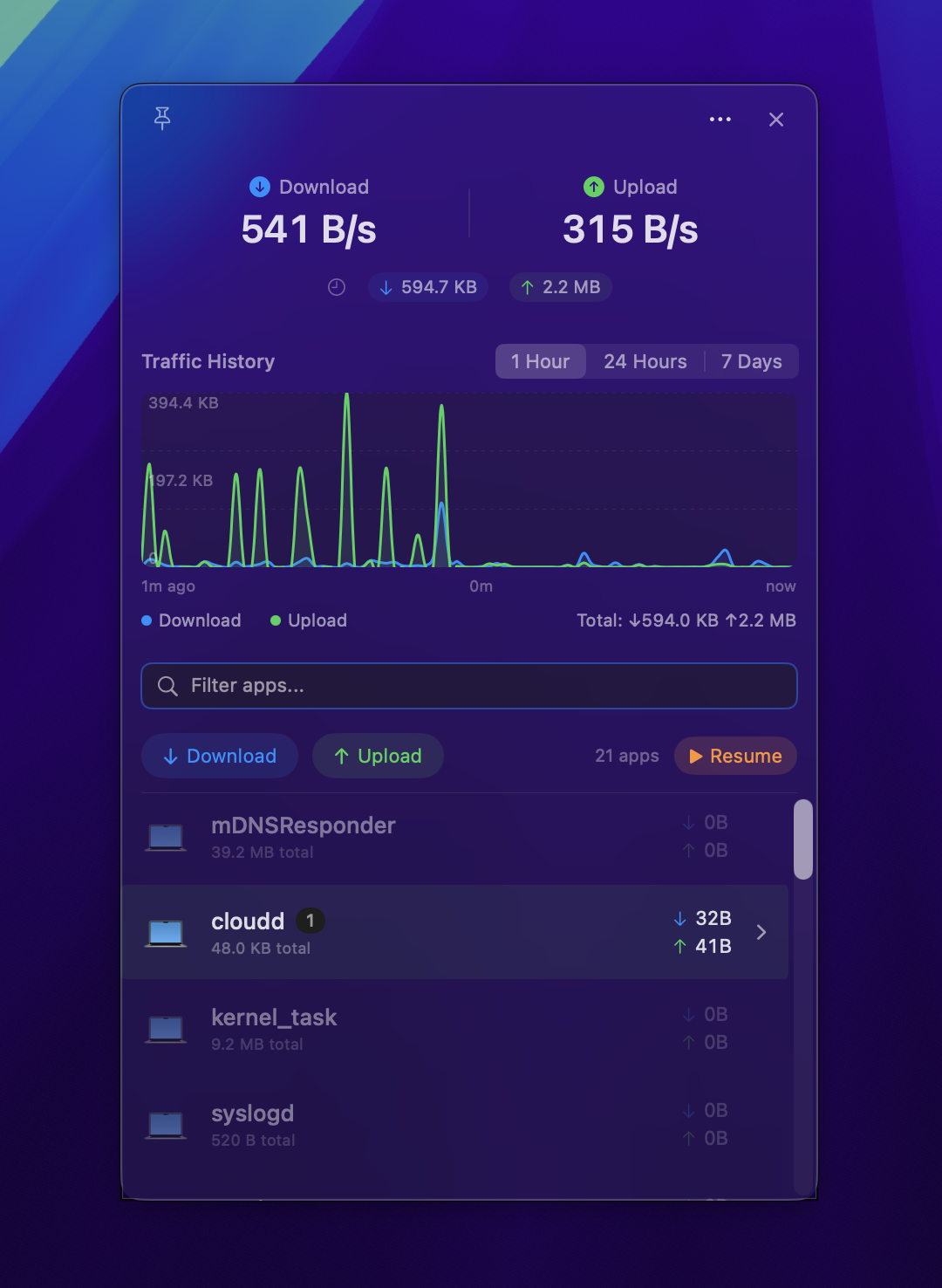
The primary interface is a number in your menu bar. Live download and upload speeds, updating every second. That’s it. One glance tells you if something unusual is happening. Click to open the detail panel, and you get the full picture: every app on your system that’s touching the network, how much bandwidth each one is using, and the direction of the traffic.
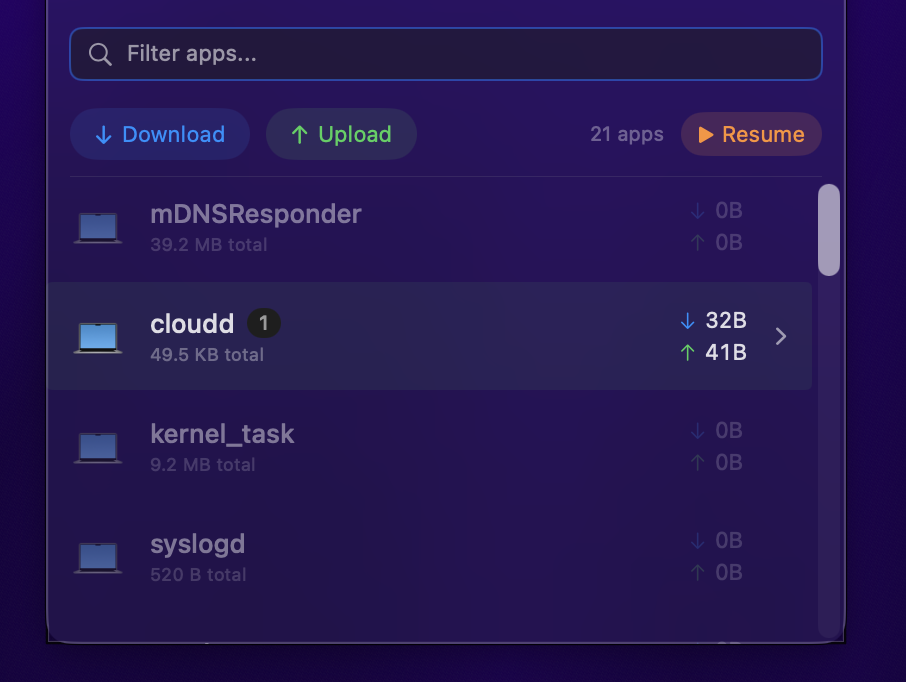
The per-app breakdown matters because total bandwidth is meaningless without context. “You’re downloading at 5 MB/s” is useless. “Dropbox is downloading at 5 MB/s” is actionable. Expand any app and you see every connection: remote IPs, ports, protocols, and reverse DNS hostnames. An IP address tells you nothing. A hostname like edge-star-mini-shv-02-amt2.facebook.com tells you everything.
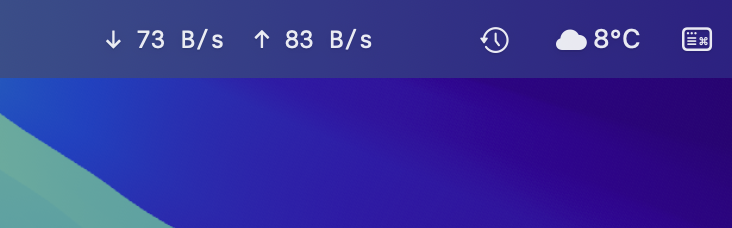
Always there, never in the way.
The menu bar is the entire point. A single glance at the top of your screen tells you whether your network is behaving normally or something unexpected is happening. No window to manage, no dock icon to deal with. Just the information you need, exactly where you look.
My Process
I designed and built this end-to-end: product definition, UX design, and Swift/SwiftUI development. Spook uses built-in macOS tools - netstat, nettop, lsof - to gather statistics without kernel extensions, network filters, or elevated privileges. Data is stored locally in SQLite. Zero external dependencies. The deliberate choice to use system CLI tools instead of network filter extensions isn't a limitation; it's the design. No special permissions means no trust required.
Time is a flat circle.
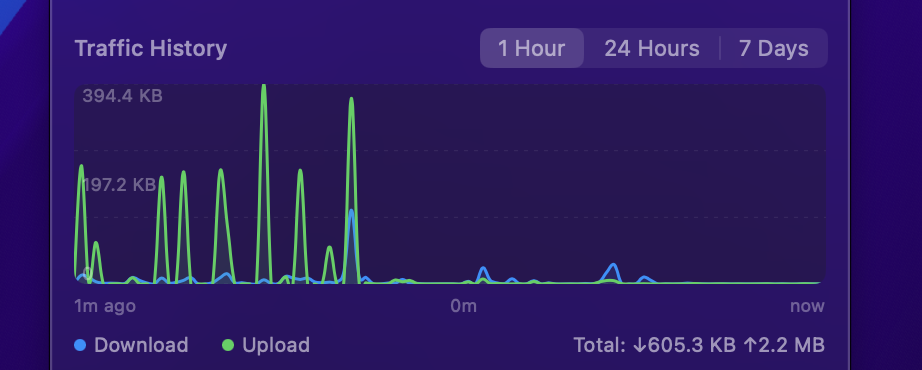
Most monitors show you what’s happening now. But understanding your network means understanding patterns over time. Spook stores 30 days of traffic history locally and visualizes it across three time scales: one hour for spotting current spikes, 24 hours for daily rhythm, and 7 days for weekly patterns. The graph axes relabel dynamically as you switch between ranges.
When you’re investigating something specific, live search filters the app list instantly. Freeze mode locks the display so rapidly changing entries don’t jump around while you’re reading connection details. Pin mode keeps the detail window visible while you work in other apps. It even appears in Cmd+Tab when pinned, behaving like a proper window rather than a menu bar popover. Direction filtering lets you isolate download-only or upload-only traffic when you’re looking for something specific.
Everything stays on your Mac. No telemetry, no analytics, no network requests from the app itself. A network monitor that phones home would be a contradiction.
The Outcome
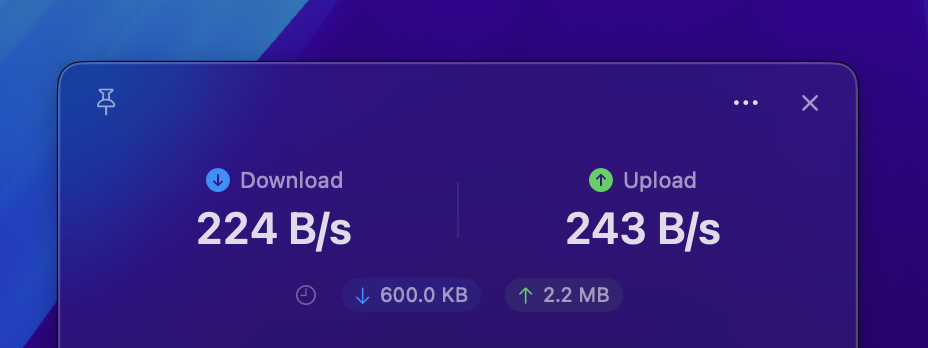
Spook is open source under the MIT license, built for macOS 14+ (Sonoma) with Swift 5.9 and zero external dependencies. No root access required. All traffic data is stored locally in SQLite with 30 days of history. No accounts, no subscriptions, no cloud. Just a clean view of what your machine is doing on the network.
Source code: github.com/qaid/spook
Like what you see?
Don’t hesitate to reach out so we can chat about working on a project together.